
One of the most important skills in programming is learning how to read error messages correctly. Error messages are the computer’s way of communicating what went wrong in your code. Beginners often feel frustrated or confused by these messages, but understanding them can save a lot of time and help fix problems efficiently.
Error messages provide clues about the type of problem, where it occurred, and sometimes even suggest possible solutions. Learning to interpret these messages is a key step in becoming a confident programmer.
This guide explains how to read error messages correctly and use them to troubleshoot code step by step.
Why Error Messages Matter
Error messages are not just warnings; they are tools that guide you to the source of a problem. Reading them correctly helps you:
- Identify the exact location of the error
- Understand the type of mistake (syntax, logic, runtime)
- Correct the issue more efficiently
- Improve your coding skills over time
Beginners who learn how to read error messages correctly often solve problems faster and with less frustration.
Common Types of Error Messages
Understanding the kind of error message you see is essential. The main types are:
Syntax Errors
These occur when the code does not follow the rules of the programming language. Examples include missing punctuation, incorrect command names, or unmatched brackets.
Runtime Errors
These appear while the program is running. Examples include dividing by zero, accessing non-existent data, or using a wrong data type.
Logic Errors
Logic errors do not usually display explicit messages. The program runs but produces incorrect results. These require careful analysis of the code.
Warnings
Some messages are warnings rather than errors. Warnings alert you to potential issues but may not stop the program from running.
You may also like to read these posts:
How to Debug Code Step by Step for Beginners
Fix Syntax Errors in Programming Easily for Beginners
Troubleshooting Programming Mistakes for Beginners
Beginner Debugging Techniques Guide for Programmers
Step 1: Read the Message Carefully
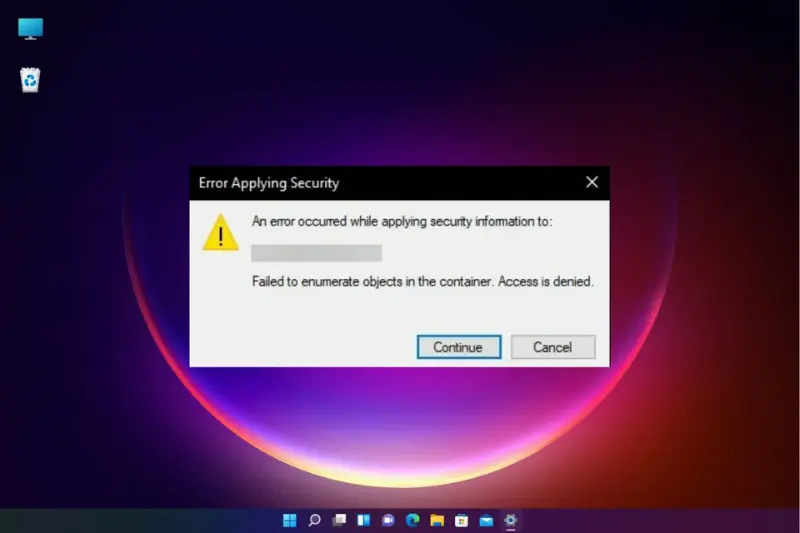
The first step in learning how to read error messages correctly is to read it thoroughly. Error messages often include:
- The type of error
- The line number where it occurred
- A brief description of what went wrong
Never skip over messages or assume the problem is obvious. Taking time to read carefully helps you understand the real cause.
Step 2: Focus on the Line Number
Most programming environments include the line number where the error occurred. Start troubleshooting at that location.
Sometimes the actual mistake is slightly before or after the indicated line, so examine the surrounding code carefully. Using the line number is a key tip in how to read error messages correctly.
Step 3: Identify the Error Type
Determine whether the error is syntax, runtime, logic, or a warning. This helps you decide the appropriate solution.
For example, syntax errors require correcting structure, while runtime errors may need handling unexpected input. Recognizing the type of error is central to how to read error messages correctly.
Step 4: Break Down the Message
Error messages often include multiple pieces of information. Break it down into smaller parts:
- What operation or command caused the issue?
- Which variable or data is involved?
- What does the message suggest as a possible cause?
By analyzing each part, beginners can interpret messages more accurately.
Step 5: Use Documentation and Online Resources
When an error message is unclear, check the programming language documentation or online forums. Many common errors are already explained with examples.
Using external resources is an important step in how to read error messages correctly and helps beginners learn faster.
Step 6: Test Solutions Step by Step
Once you understand the error, apply a potential solution and test it. If the problem persists, review the message again and make adjustments.
Step-by-step testing ensures you fix the root cause rather than just masking the issue, which is a core principle in how to read error messages correctly.
Step 7: Learn From Repeated Errors
Every error message is an opportunity to learn. Keep track of frequent mistakes and the solutions that worked.
Over time, beginners who follow how to read error messages correctly will recognize patterns and troubleshoot faster without needing to read every message in detail.
Tips for Beginners
- Stay calm and don’t panic when seeing an error.
- Read messages from top to bottom; the first line often gives the most important clue.
- Focus on one error at a time instead of trying to fix everything at once.
- Use print statements or debugging tools to understand program flow.
- Practice regularly to become familiar with common messages.
Frequently Asked Questions
Why are error messages important in programming?
They guide you to the cause of a problem and help troubleshoot code efficiently.
What are the main types of error messages?
Syntax errors, runtime errors, logic errors, and warnings are the most common types.
How can beginners interpret error messages correctly?
By reading the message carefully, noting the line number, identifying the error type, and breaking down the message.
Can online resources help with error messages?
Yes, documentation and programming forums often provide explanations and solutions for common errors.
How does reading error messages improve coding skills?
It teaches problem-solving, helps prevent repeated mistakes, and builds confidence in writing error-free programs.
Conclusion
Reading error messages correctly is an essential programming skill. Understanding the type of error, the line number, and the detailed description allows beginners to troubleshoot code effectively.
By following this guide on how to read error messages correctly, beginners can solve problems faster, reduce frustration, and become more confident in programming. Every error is a learning opportunity that strengthens coding skills.