
Choosing the right code editor can make learning programming much easier. A code editor provides a workspace where you write, edit, and test your code. For beginners, having a simple and friendly editor can help reduce confusion and boost confidence while learning. This guide explores the best code editors for beginners and explains why they are ideal for new programmers.
A good code editor improves productivity by highlighting mistakes, organizing your files, and suggesting corrections. Whether you are writing web code, Python scripts, or Java programs, the right editor can make learning simpler and more enjoyable.
What to Look for in a Code Editor
Before we dive into the best code editors for beginners, it’s helpful to know what features matter most when choosing one.
Easy to Use Interface
Beginners need editors that are clean and simple, so they aren’t overwhelmed by too many buttons or complex menus.
Syntax Highlighting
This feature colors different parts of your code so it’s easier to read and spot mistakes.
Error Detection
Some editors can alert you to errors while you type, which helps beginners learn correct syntax.
Plugin Support
As you grow, plugins allow you to add helpful tools like version control or auto-completion.
Cross-Platform Support
The best editors work on Windows, macOS, and Linux so you can use them on any computer.
You may also like to read these posts:
How to Debug Code Step by Step for Beginners
Fix Syntax Errors in Programming Easily for Beginners
Troubleshooting Programming Mistakes for Beginners
Beginner Debugging Techniques Guide for Programmers
Now let’s explore the best code editors for beginners that offer these helpful features.
1. Visual Studio Code
Visual Studio Code (often called VS Code) is one of the most popular editors for beginners and professionals alike. It combines simplicity with powerful features that help new programmers learn faster.
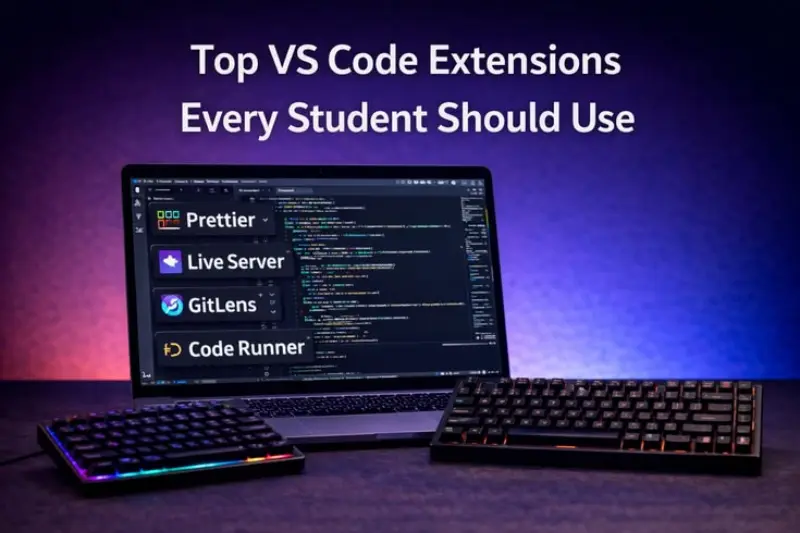
VS Code supports many languages like JavaScript, Python, C++, and HTML. It provides syntax highlighting, intelligent suggestions, error detection, and a built‑in terminal to run your code.
Beginners benefit from its extensions marketplace, which allows adding tools that support learning and debugging. Because of its flexibility and ease of use, many consider Visual Studio Code as one of the best code editors for beginners.
2. Sublime Text
Sublime Text is a lightweight editor known for its speed and simplicity. It opens quickly and provides smooth performance even on low‑end computers.
Sublime Text includes syntax highlighting and command tools to navigate your project easily. It also supports many languages through plugins.
For beginners who want a fast and distraction‑free editor, Sublime Text is one of the best code editors for beginners.
3. Atom
Atom is a free and open‑source editor developed by GitHub. It is flexible and beginner‑friendly, with a simple design and easy navigation.
Atom supports many languages and has a built‑in package manager for installing extra features. Beginners can personalize the editor to fit their learning style.
Because of its customizability and ease of setup, Atom is also considered one of the best code editors for beginners.
4. Notepad++
Notepad++ is a lightweight text editor for Windows that is ideal for beginners. It provides basic code editing features like syntax highlighting without extra complexity.
If you are just starting and want a simple editor to write and test small programs, Notepad++ is a great choice. It may not have all advanced features, but its simplicity makes it one of the best code editors for beginners.
5. Brackets
Brackets is an editor designed for front‑end web development. It works well with HTML, CSS, and JavaScript and shows real‑time previews of your webpage while you code.
Brackets includes inline editors and visual tools that help beginners understand how changes in code affect their project. For anyone learning web development, Brackets ranks among the best code editors for beginners.
6. CodePen
CodePen is an online editor rather than a desktop program. It allows beginners to write HTML, CSS, and JavaScript directly in a browser and see live results instantly.
Since there’s no installation required, CodePen is excellent for trying code quickly, sharing projects, and learning through visual feedback. Many people recommend online editors like CodePen as one of the best code editors for beginners.
7. Replit
Replit is another online coding platform that supports many languages. It provides an interactive environment where you can write code, run programs, and collaborate with others in real time.
For beginners who want an all‑in‑one platform that doesn’t require setup, Replit is a top choice and one of the best code editors for beginners.
How to Choose the Right Editor
Choosing the right editor is a personal decision based on your goals and comfort level. Here are some quick tips:
- If you want powerful tools and long‑term growth: choose Visual Studio Code
- If you want fast and lightweight software: choose Sublime Text or Notepad++
- If you want web development support: choose Brackets or CodePen
- If you want no installation and instant setup: choose Replit
All of these are considered the best code editors for beginners because they make learning simpler and more efficient.
Benefits of Using a Good Code Editor
Using a quality editor helps beginners:
Write cleaner and better‑structured code
Detect mistakes early with error highlights
Navigate large projects easily
Customize features as skills grow
Understand code structure through visual tools
Good tools make learning more rewarding and reduce frustration when troubleshooting mistakes.
Frequently Asked Questions
What makes a code editor good for beginners?
Easy interface, syntax highlighting, error detection, and simple setup are key features.
Do beginners need advanced features in an editor?
Not at first. Start with basic features and add advanced tools as you grow.
3. Can I learn coding without a code editor?
Yes, but using an editor makes writing and testing code much easier.
Are online editors good for learning?
Yes, online editors allow beginners to write and test code instantly without installation.
Which editor should I start with as a beginner?
Visual Studio Code is highly recommended because it balances simplicity with powerful learning tools.
Conclusion
Choosing a code editor is an important step in your programming journey. The best code editors for beginners combine simplicity, helpful tools, and ease of use so new learners can focus on building skills rather than struggling with complex interfaces.
Whether you prefer desktop editors like Visual Studio Code and Sublime Text or online platforms like CodePen and Replit, the right editor makes coding more enjoyable and productive.