
Debugging is one of the most important skills for anyone learning to program. No matter how carefully you write code, errors are inevitable. A beginner debugging techniques guide helps new programmers understand how to identify mistakes, analyze problems, and fix errors effectively.
Learning debugging is more than just correcting mistakes. It teaches you to think logically, understand program behavior, and improve problem-solving skills. By following structured debugging methods, beginners can save time and develop confidence while coding.
This guide explains beginner-friendly techniques to debug code systematically, making the programming journey smoother and more effective.
What Is Debugging
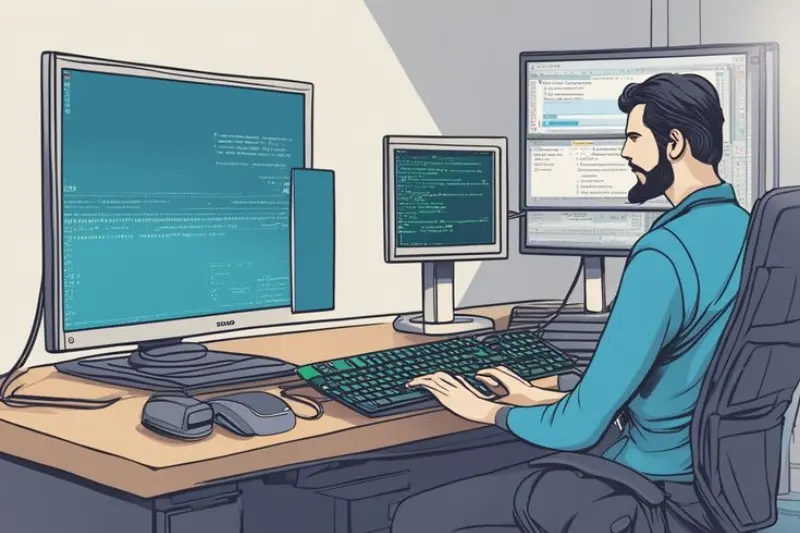
Debugging is the process of finding and correcting mistakes in a program. Errors can be caused by syntax mistakes, logic problems, runtime issues, or incorrect input.
Using a beginner debugging techniques guide, programmers can identify the root cause of a problem and apply solutions step by step. Debugging is essential to ensure programs work correctly and reliably.
Why Debugging Matters for Beginners
Debugging is crucial for several reasons:
- Helps identify errors quickly
- Improves understanding of how programs work
- Strengthens logical thinking and problem-solving skills
- Increases confidence in writing and maintaining code
Beginners who master debugging techniques become more efficient and less frustrated when encountering programming mistakes.
Common Types of Errors
Understanding common errors is the first step in debugging.
Syntax Errors
These occur when the code does not follow the rules of the programming language, such as missing punctuation or incorrect keywords.
Logic Errors
Logic errors happen when code runs but produces incorrect results due to flawed reasoning or calculations.
Runtime Errors
Runtime errors occur while the program is executing, often caused by unexpected input or operations the program cannot perform.
Typographical Errors
Typos, like misspelling variable names or commands, are common in beginner code.
You may also like to read these posts:
Beginner Friendly JavaScript Guide for New Coders
Coding Fundamentals Explained Simply for Beginners
How to Debug Code Step by Step for Beginners
Fix Syntax Errors in Programming Easily for Beginners
Step 1: Carefully Read Error Messages

Most programming tools display error messages when a problem occurs. These messages provide important clues about the type of error and its location in the code.
A beginner debugging techniques guide emphasizes reading error messages thoroughly instead of ignoring them. Understanding the message helps pinpoint the exact problem quickly.
Step 2: Reproduce the Problem
Reproducing the error consistently helps confirm the conditions under which it occurs. This allows beginners to observe the problem clearly and identify patterns that cause the issue.
Repeating steps systematically is a critical technique when learning beginner debugging techniques guide.
Step 3: Review Recent Changes
If the program worked previously, errors may result from recent modifications. Reviewing the changes can quickly isolate the mistake and save debugging time.
This step is often highlighted in every beginner debugging techniques guide.
Step 4: Break the Code Into Smaller Sections
Large programs can be difficult to debug. Breaking code into smaller, manageable sections allows beginners to focus on one part at a time.
This technique makes it easier to locate the source of the error and understand how each section functions.
Step 5: Use Print Statements or Logs
Adding print statements or logs helps track program execution and variable values. By observing outputs, beginners can understand where the program deviates from expected behavior.
Using print statements is a practical and simple approach emphasized in most beginner debugging techniques guide resources.
Step 6: Check Logic Carefully
If the program runs but results are incorrect, the problem may be due to logic errors. Reviewing the sequence of instructions ensures they perform the intended task.
Analyzing program logic is a core part of beginner debugging techniques guide.
Step 7: Test With Different Inputs
Testing programs with various inputs helps uncover hidden errors and verify that fixes work correctly. It also ensures that the program behaves reliably in different situations.
Beginners are encouraged to test thoroughly when learning beginner debugging techniques guide.
Step 8: Use Debugging Tools
Many programming environments include tools like breakpoints, watches, and step-through debugging. These tools allow programmers to observe program flow and variable values in real time.
Learning to use these tools is a key technique in any beginner debugging techniques guide.
Step 9: Ask for Help or Consult Resources
Sometimes problems may be difficult to solve alone. Beginners can seek help from online communities, forums, or tutorials.
Getting guidance and learning from others’ experiences is a valuable part of beginner debugging techniques guide.
Best Practices for Debugging
To debug efficiently, beginners should follow these practices:
- Write clean, organized, and well-documented code
- Test code frequently while developing it
- Break complex problems into smaller, simpler parts
- Stay patient and methodical when analyzing errors
- Learn from mistakes to prevent them in future programs
Following these habits improves the effectiveness of beginner debugging techniques guide strategies.
Learning From Debugging
Every error is an opportunity to learn. By analyzing mistakes, beginners gain deeper understanding of programming concepts, improve problem-solving skills, and develop resilience.
Studying errors systematically through a beginner debugging techniques guide helps programmers build confidence and write better, error-free code in the future.
Frequently Asked Questions
What is debugging in programming?
Debugging is the process of identifying and fixing errors in a program to ensure it works correctly.
Why is debugging important for beginners?
Debugging helps beginners understand program behavior, solve problems efficiently, and improve coding confidence.
What are common types of programming mistakes?
Syntax errors, logic errors, runtime errors, and typographical mistakes are the most common.
How can beginners debug code effectively?
Read error messages, test small sections, check logic, use print statements, and utilize debugging tools.
Can debugging improve programming skills?
Yes, analyzing and fixing mistakes strengthens problem-solving skills and helps beginners write more reliable programs.
Conclusion
Debugging is an essential skill for every programmer. Learning beginner debugging techniques guide equips beginners to identify, analyze, and fix errors effectively.
By following structured steps, using debugging tools, testing systematically, and reviewing code carefully, beginners can troubleshoot problems efficiently and gain confidence in their coding skills.
Mastering debugging techniques ensures programs work reliably and helps build strong programming foundations.